Getting honest reviews from your customers is extremely beneficial for your business.
The quality and quantity of reviews on Google can actually make or break a company’s online reputation and determine SEO rankings.
In case you like to regularly read my posts (having you as a regular reader would make me more than happy), you may ask yourself: ‘Why do I have to learn more about Google My Business reviews since I already know how to optimise a Google listing for SEO rankings?’
I’m glad you asked that.
Optimising your Google my business listing is an absolute must for your business. And, getting more 5 star reviews is actually an important Google optimisation tip.
In order to get more reviews, you need to learn the most effective strategies to get Google reviews. With this post, we will go deeper into your Google My Business optimisation, but outside of just receiving SEO rankings with better optimisation – Google reviews actually have many other benefits.
Note: If you didn’t follow my previous posts and have not claimed your business on Google, I suggest you read this first: How to set up Google My Business using a virtual office. You will learn some easy steps to get an online presence on Google using a unique virtual address package – Virtual Addresses are important because you must claim your business on Google first before you can start gathering reviews.
Table of contents:
1. Top 5 powerful advantages of Google reviews

Let’s take a moment to think of the value that a Google review can provide to you.
Would you trust a business with no Google reviews? Or, even worse, with plenty of negative reviews? Maybe not.
Would you trust a business with 20 five star reviews over a business with none?
Well, this is the way most people think: if a business listed on Google has no reviews (or it has negative reviews), it means that it has only a few (to no) customers. And, if it has few to no customers, it means that it is not a trustworthy business that delivers high-quality products or services.
Reviews are crowdsourced information showing the unbiased opinions of people about a business – This is why they matter so much (and please also consider that Google is the most popular search engine meaning that Google reviews are the most essential online reviews you can get – not to mention these reviews appear in Google search results as well).
However, let’s detail some reasons as to why having plenty of positive reviews is an absolute must for your businesses growth:
- Improve your SEO and online visibility
There are many factors involved in Google search rankings. Reviews are one of these factors. One single positive review can push you higher in the local search results. According to a Moz survey, review quantity, velocity, diversity, etc., make up 15.44% of the criteria for how Google determines the order of search results.
- Generate more leads
Online reviews are the modern word of mouth. According to Qualtrics online review statistics to know in 2021, 92% of B2B buyers are more likely to purchase after reading a positive review. Also, 94% of people say that a negative online review has convinced them to avoid a business. For many people, online reviews are as critical as a referral from a friend.
- Interact with customers
Every interaction with a customer is important as it gives you the opportunity to improve their customer experience. Also, it gives you the chance to turn an unhappy customer into a happy one. So, responding to both positive and negative reviews shows that you care about your customers’ opinions.
- Enhance your company’s reputation
In today’s business environment, online reputation is everything (especially when you are running an online business and rely on the services included in a high-quality virtual office package to build a strong business reputation). So, you should leverage online reviews to build and maintain a stellar reputation for your company.
- Boost your click-through rate
If people searching for your business can see a 5-star rating next to your business listing, you can definitely improve your click-through rate. However, you must ensure that your official website is set up correctly so that relevant information can be appropriately displayed in search results.
That’s it.
Hopefully, you now have a better understanding of the importance of Google reviews for your business.
And would you like to hear the best part?
Positive reviews on Google are actually great free advertising (meaning that you save money on advertising while enjoying the amazing benefits of Google’s customer feedback tool).
2. 8 tips to get more Google My Business reviews
Now that you understand why reviews are so beneficial for your business, are you ready to learn some easy and effective strategies to get more Google results?
(‘Yes’ is the answer I want to hear from you).
So, let’s begin.
- Create a link for customers to write reviews
According to Google My Business guidelines, ‘You can share your short URL with customers from your computer’s Google My Business dashboard or on the mobile app. Through your short URL, Customers can leave reviews and view your Business Profile.’
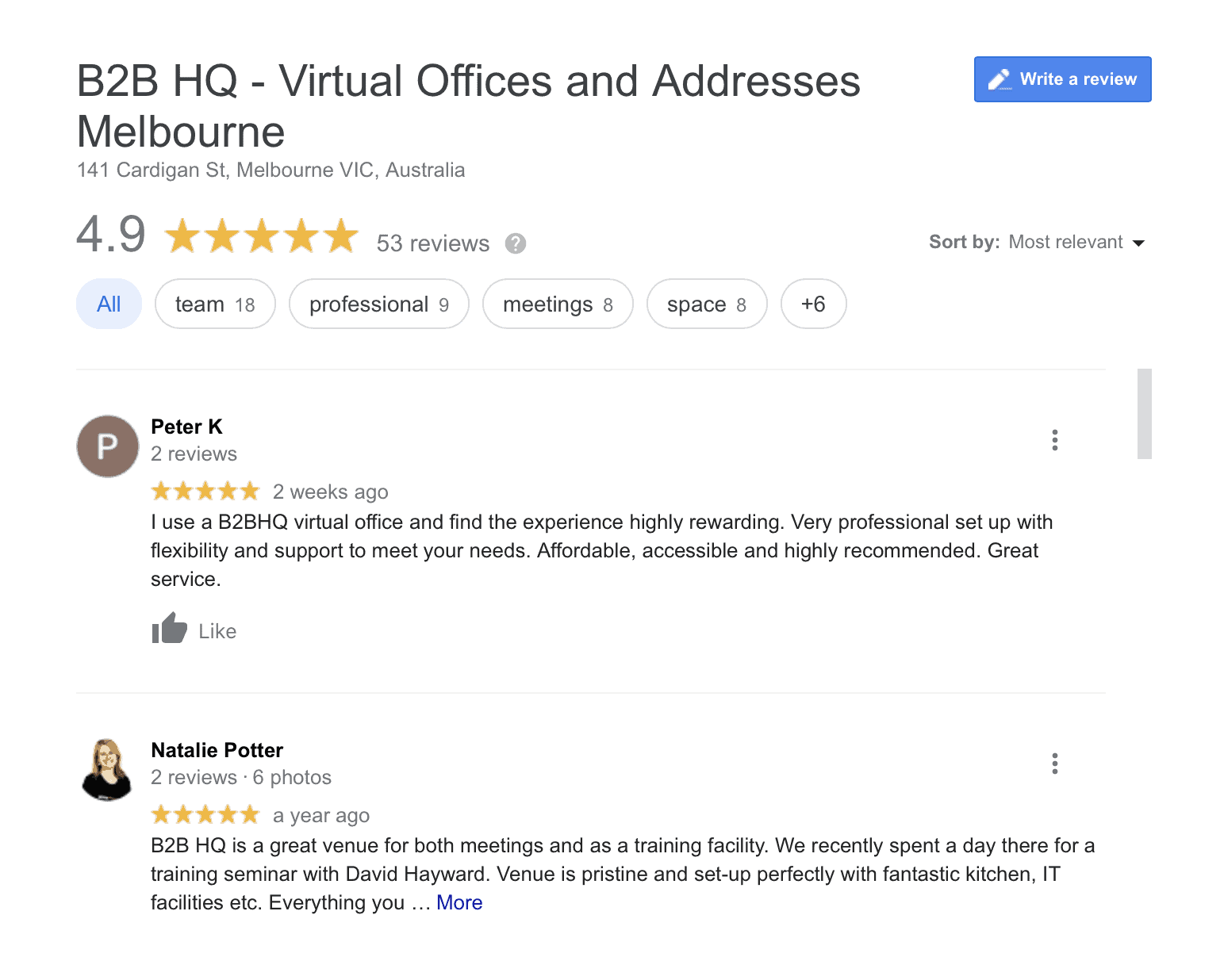
I strongly recommend you create a review link shortcut as the ordinary Google review process involves 3 steps. These are way too many steps for customers who typically do not want to take more than a couple of minutes to write an open-ended review.
So, these are the steps that your customers should follow to review a business without you having a review link shortcut:
- Search for your business on Google
- Click on the review section under your business listing
- Click on ‘Write a review’
This is actually a simple process, but providing a review link to your customers is even easier (and more professional) than telling them ‘Would you be so kind as to search for my business name on Google, find my business listing, and leave a review?’
Here is how to create a Google review link:
- Sign in to your Google My Business account (or open the Google My Business app on your mobile device).
- In the left menu, click ‘Home’ (or Tap ‘Customers’ and then ‘Reviews’ if you’re using a mobile device).
- In the ‘Get more reviews’ card, just copy the URL to share with customers (or tap ‘Share’ in the top right and then copy your short URL if you’re using a mobile device).
Note: You can shorten your review shortcut even more by using a link shortener. There are many free link shorteners available on the Internet (e.g. Bitly, TinyURL, etc.).
- Link out to your Google review page from your website
You should provide your website visitors with a clear call to action so that they can leave you a review. I recommend you remind them that the process will take just a couple of minutes.
Tip: A great place to include this is on your businesses ‘About Us’ page or under existing testimonials.
Below you will find some examples:
- ‘Got 2 minutes? Check out our Google review page here.’
- ‘If we provided a top-notch service to you that you would love others to hear, please consider taking a few seconds to leave us a review here. Or, if you’re not our customer yet, we would be glad if you could consider our customers’ experiences with us by checking our review page.’
- ‘We would be glad if you could spare a couple of minutes and check our Google review page here.’
Here is how you can link out to your Google review page from your website:
- Open an Internet browser
- Search for your company’s name on Google
- Click ‘View all Google reviews’ in the card on the right (under your company’s name)
- Copy the URL in the address bar
- Paste the URL as a link on your website
- Add reviews to your website (or create a special review page)
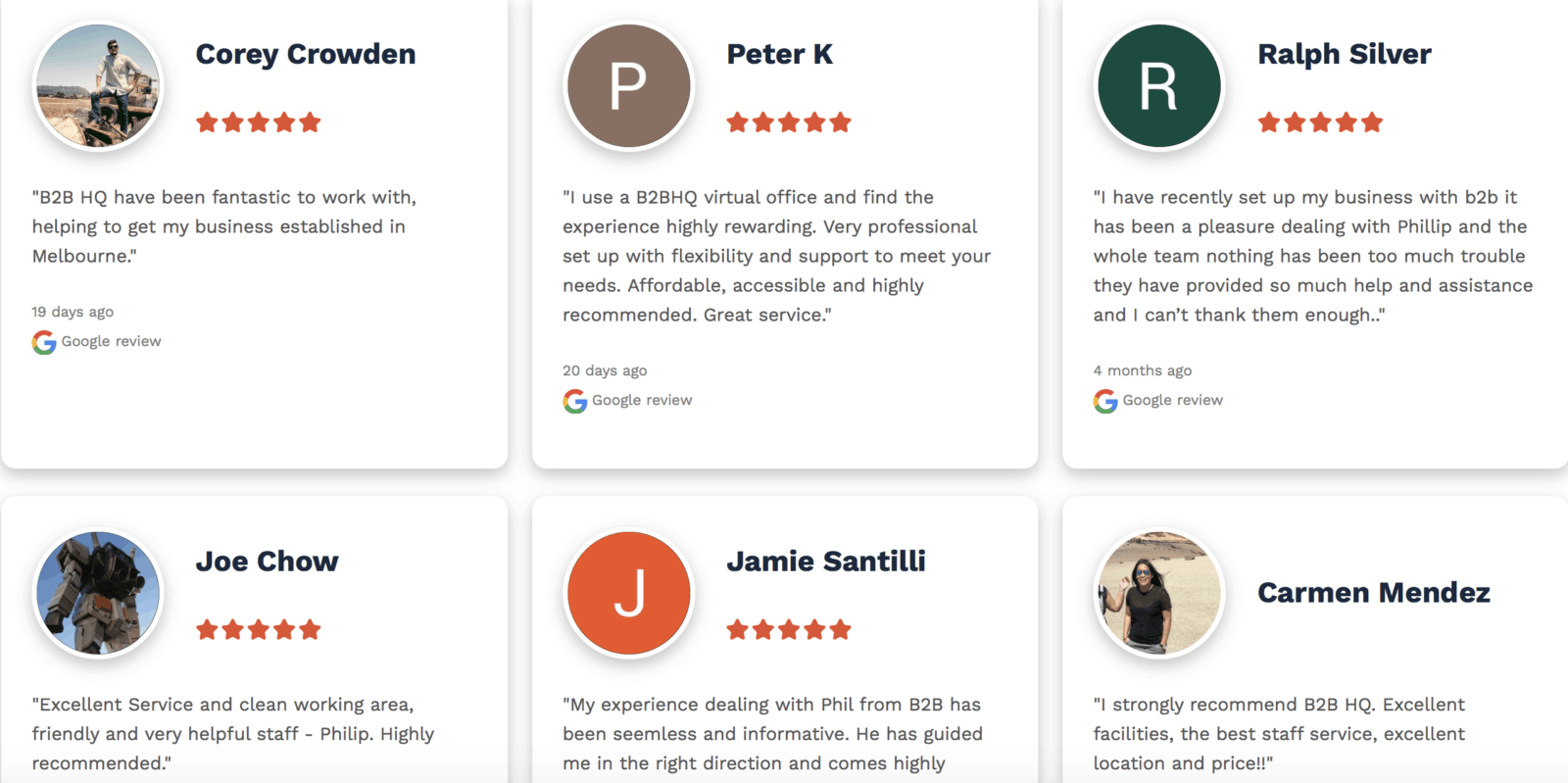
Adding Google reviews to a product landing page or creating a special review page is an excellent way for your potential customers visiting your website to learn from others’ experience with your business.
Your customers’ honest reviews can simply beef up your company’s perceived value.
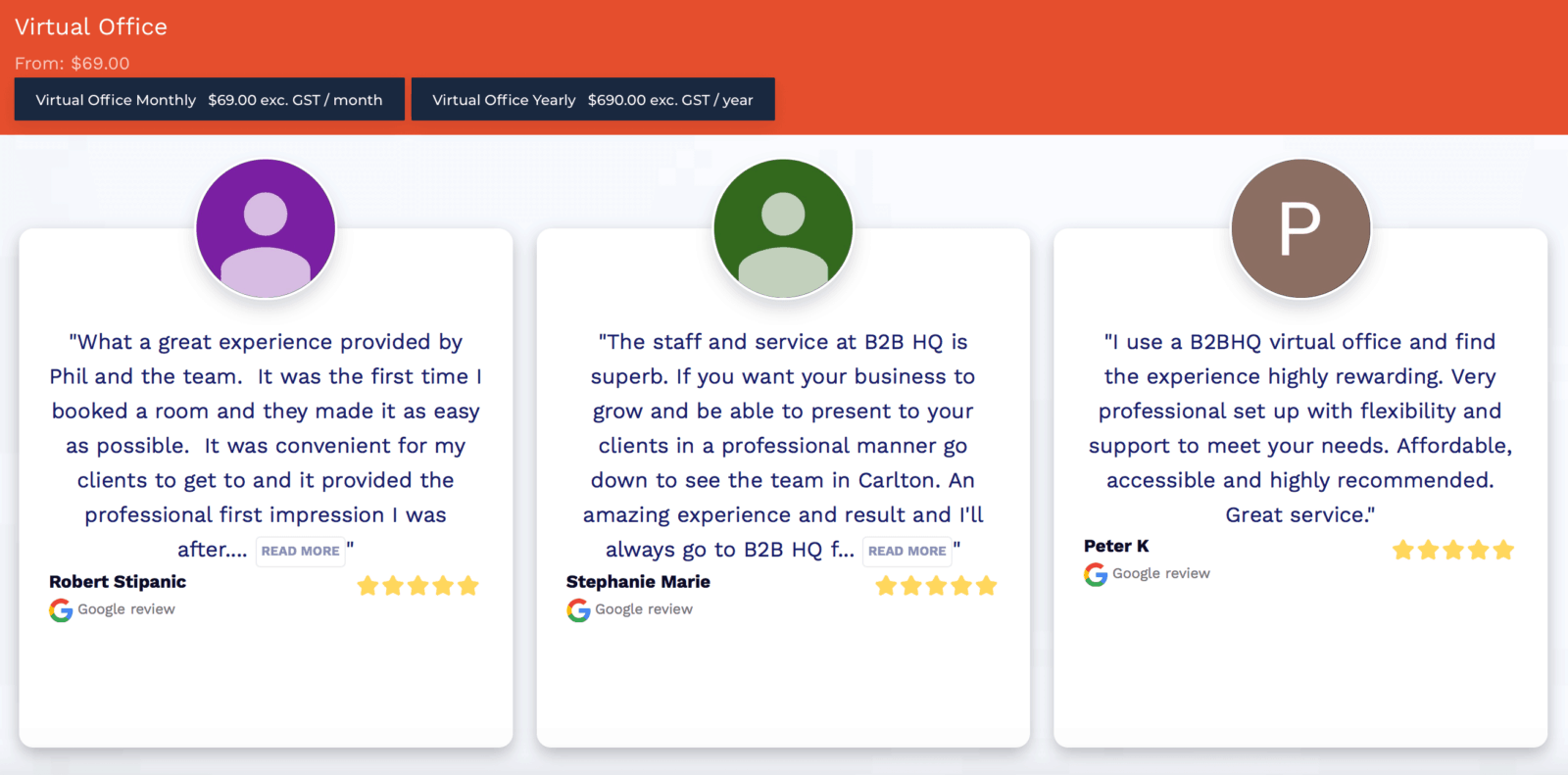
For example, if you open B2B HQ’s virtual office page and scroll down, you’ll see the 5-star reviews of our customers.
Or, you can check our full page outlining client success stories.
The choice is up to you. You can just add reviews to your product page(s), create a special review page, or both of them.
If you’re tech-savvy enough and know how to manage your website yourself, you can do it without any help.
As a general rule, there are two ways to embed Google reviews on your website:
- Add a widget. For example, WordPress has many easy-to-manage Google review plugins that you can install.
- Use the API (application programming interface). First, you will need to enable the Google My Business API. Then, just follow Google’s instructions on how to embed reviews on your website.
- Include your Google review link in your email signature
Think of all the emails you (and potentially your team) send to your customers. Why not harness the power of emails and include your Google review link in your signature?
Just follow these easy steps:
- Step 1: Download a ‘Leave us a Google review’ image – make sure you avoid copyright issues. Alternatively, you can create one yourself using a tool like Canva.
- Step 2: Open your email and click the ‘Image’ icon button to upload the image to your signature (if you are using Gmail, you have to upload the image to your Google Drive first. Then, click on ‘Get shareable link’).
- Step 3: Link the image to your review listing – Search for your business on Google. Then, click the blue button in the top-right corner that says ‘Write a review.’ A box will appear asking you to leave a review or sign in. Just copy the URL from the top bar (you just have to copy the URL and not review your own business, so make sure you close the box after you copy the link!)
- Step 4: Go back to your email signature and click on the ‘Leave us a Google review’ image. Highlight the image, and then click on the ‘Link’ icon button. Below the image, you should be able to change the link and paste the URL into the link web address.
- Step 5: Save changes and test your new email signature before sending emails to your customers
- Create review cards
To be honest, this is one of my favourite strategies to gather more reviews from customers.
Review cards are personalised to your business, easy to order and use.
Before ordering your review cards, decide whether you want to provide your customers with:
- Your short URL (the review link shortcut mentioned above). Your customers will simply have to type the URL in the address bar – This is why making your URL link even shorter by using a link shortener may be a good idea.
- A QR code – QR codes are matrix barcodes that can store alphanumeric information (this doesn’t sound very easy but I’m sure you know the square grid on a white background you typically read with your mobile device).
- Or, the full link as you have copied and pasted from Google My Business
The choice is up to you, but I personally recommend you create a QR code for your review cards for two main reasons:
- QR codes are easier to use than short URLs (that customers must type in the address bar – sometimes, typing an URL in the address bar can be time-consuming even for the happiest customer).
- You can add it to your bills and some of your print assets as well (e.g. brochures, posters, promo products, etc.).
- And, if Covid-19 taught us anything, the general public is now comfortable with scanning QR codes to register their attendance at venues (so, technically, they know what to do with a QR now).
Here is how you can create a Google QR code for your review cards:
- Step 1: Go to Google Place ID finder tool
- Step 2: Type the name of your business, as listed by Google My Business
- Step 3: Copy your Place ID (the string of letters and numbers under your business name)
- Step 4: Modify the following link by pasting your Place ID into it: https://search.google.com/local/writereview?placeid=PUT PLACE ID HERE ()
- Step 5: Get a QR code generator – there are many free QR code generators available, such as this one. Or, choose the one you like most.
- Step 6: Copy and paste your Reviews URL into your QR code website and then download your QR code.
- Step 7: Print your QR code and start using it to get more reviews.
And last but not least, add a catchy short message on your review cards, such as:
- ‘We value you as a customer. Could you help us continue serving you best? Please take a minute to let us know how we did. Thank you, and we hope to see you again soon!’
- ‘Are you happy? Please take a couple of minutes and write us a review. It will help us improve the services we deliver to you and other customers like you’.
- ‘Thank you for choosing our small business. We would love to hear your feedback. Please take a minute and let us know how we’re doing’.
- ‘The greatest compliment we can receive as a business is a testimonial and review from you. The whole team would love to read your feedback and it genuinely brings a smile to our face.’

The strategies that I shared above are the ones that require some more detailed instructions and explanations.
Now it’s time to share some straightforward tips to get more Google reviews that do not require any further details (they are as easy as it sounds!)
- Ask for Google reviews on social media
Just write a post and ask people who are visiting your social media profiles (e.g. Facebook, Twitter, Instagram, etc.) to review your business on Google. You can simply provide them with your Google review URL.
- Ask for Google reviews in person
When you finish a good conversation with a customer, ask them to review your business. You don’t have to sugarcoat your speech when making in-person Google review requests. There’s nothing wrong with asking for reviews. You can simply say: ‘I’m really happy we could help you. If you could spare a minute and leave us a Google review, you would help many people like yourself find our business’.
- Send emails to your customers and ask them to review your business
Send personalised emails to your customers and ask them to rate their experience with your business. Just write a simple short message to them (similar to the ones provided above as an example for your review cards).
Hopefully, this complete list of tips and tricks on how to get more Google reviews will help you.
Before we finish, I would like to share other two valuable tips:
- Always respond to reviews – Reply to both positive and negative reviews.
In case of negative reviews, acknowledge the customer’s concerns, apologise and if they are being reasonable, contact them as well to see how you could help resolve the situation.
Even if you know you’re right, stay polite. Start your message with ‘I’m sorry to hear about your bad experience’.
- Never buy Google reviews – They can definitely harm your business.
If you buy reviews, you violate Google’s guidelines. Also, people can notice their lack of authenticity. As a result, Google can delete your reviews and even your business listing.
Google’s guidelines about prohibited and restricted content state that ‘Reviews are automatically processed to detect inappropriate content like fake reviews and spam. We may take down reviews that are flagged in order to comply with Google policies or legal obligations.’
Did this post help you understand the value of Google reviews, but you are not able to claim your business on Google due to lack of office space? B2B HQ would be more than happy to provide you with a cost-effective virtual office package that you can use to list your company on the most popular search engine.
Alternatively, you can simply contact us if you have any questions concerning our services and how they can help you quickly grow your business. We’re always happy to assist you.